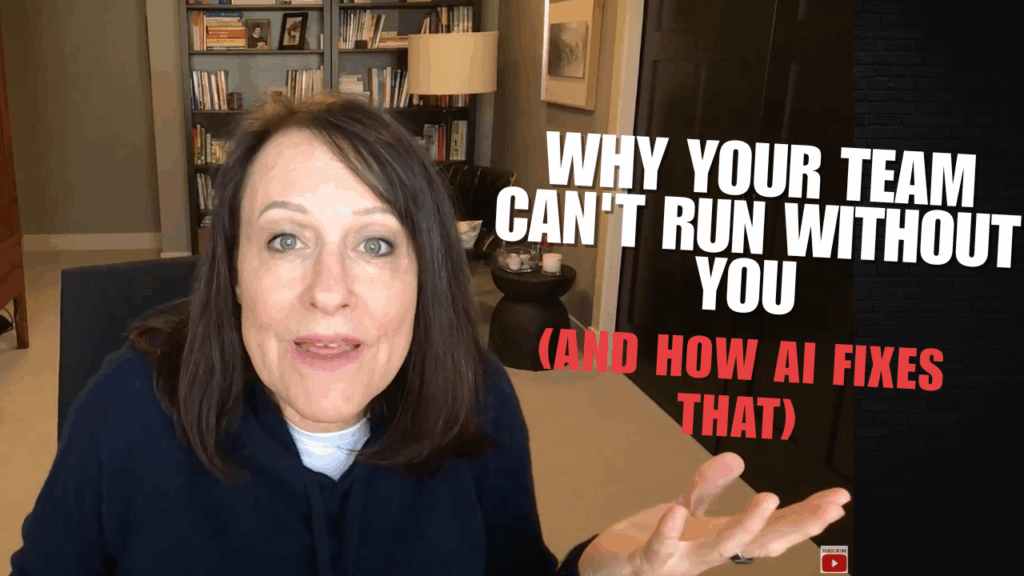
You’ve got a VA. Maybe even a small team. But every piece of content still goes through you. Every client question waits for your answer. Your team sends you Slack messages asking what to do next, and you’re thinking—why did I hire people if I’m still doing everything?
Here’s the part no one talks about: your team isn’t slow. They’re stuck making hundreds of micro-decisions they don’t have answers for. And traditional delegation doesn’t fix this because you can’t hand someone a task that has 47 judgment calls baked in.
But AI can.
TL;DR: The “everything runs through me” trap happens because your expertise lives in your head, and your team is constantly guessing at decisions only you can make. AI doesn’t replace your team—it makes your decision-making accessible to them. When set up right, AI becomes the layer between “I don’t know what Kristen would want here” and actually executing at your standard.
But here’s what most people miss:
→ Your team isn’t waiting on you because they’re incompetent—they’re waiting because they don’t have access to your judgment
→ AI works best as a “decision support system” for your team, not as a replacement for human work
→ The wrong AI setup creates more bottlenecks; the right setup eliminates you from 80% of daily decisions
I figured this out after hiring a huge team and still waking up to fires every morning. I had people. I had tools. But I was still the single point of failure for everything because nobody else could make decisions the way I would.
That changed when I stopped trying to teach my team to think like me and started using AI to make my thinking available to them.
The Real Reason Your Team Can’t Function Without You
Let’s get specific about what’s actually happening. Your content person writes a social post. They know the general topic, but they don’t know:
→ Whether to lead with a question or a statement
→ How casual vs. professional to be
→ What stories you’d use as examples
→ Which offer to mention (if any)
→ How to handle objections in the comments
So they write something. It’s technically fine. But it doesn’t sound like you. It misses the angle you would have taken. The tone is off.
They send it to you for approval. You rewrite half of it. This happens 6 more times this week.
This is where AI changes everything—if you use it right.
The problem isn’t that your team can’t write. It’s that they don’t have access to your decision-making process. They’re trying to guess what you would do, and guessing is exhausting and inaccurate.
But you can train AI on your decision-making process. Then your team doesn’t ask you—they ask the AI that thinks like you.
I’m not talking about generic ChatGPT. I’m talking about AI that knows:
→ Your brand voice with specific examples
→ Your messaging priorities for different situations
→ Your standard responses to common scenarios
→ Your quality bar with clear before/after samples
→ Your strategic positioning and how it shapes every piece of content
When your team has this, they stop guessing. They get a first draft that already sounds like you. Then they add the human elements—the specific client story, the current timing, the platform-specific adjustments.
You’re out of the daily loop, but your standards don’t drop.
How AI Turns Your Expertise Into Team Infrastructure
Most people use AI wrong. They treat it like a generic writing tool—type in a prompt, get back generic content, realize it sounds robotic, give up.
That’s not how you eliminate yourself as a bottleneck.
You need to set up AI as your “virtual decision-maker”—an agent that your team can consult before coming to you. Here’s how that actually works:
1. You Document Your Decision-Making Patterns (Not Just Your Preferences)
This is different from a brand voice guide. Most voice guides say things like “be conversational and approachable.” That’s too vague to be useful.
Instead, you need to capture your actual decision patterns:
→ When someone asks about pricing, here’s how I typically respond (with 3 real examples)
→ When I’m writing about a complex topic, here’s my structure (with annotated samples)
→ When content feels “off,” here’s specifically what’s wrong (with examples of bad → good edits)
→ When deciding what to post, here’s my priority filter (topic relevance > timing > engagement potential)
I do this with every client. We record them editing content for 30 minutes, transcribe it, and pull out the actual decision logic. That becomes training material for their AI.
2. You Train a Custom AI Agent With This Logic
Now here’s where it gets practical. You take those documented patterns and you train a custom GPT (or Claude Project, or any AI that lets you add custom instructions) on them.
Your team doesn’t use generic ChatGPT anymore. They use your AI that has your voice guide, your messaging framework, your examples of good/bad content, and your decision patterns loaded in.
When they need to write a social post, they tell your AI the topic and key points. It drafts something that already sounds like you because it’s trained on your patterns. Not perfect—but close enough that your team can refine it instead of starting from scratch.
The difference: they’re editing instead of writing blind. They’re making small judgment calls instead of big strategic ones.
3. You Use AI Routing to Handle Questions Your Team Shouldn’t Have to Ask You
Here’s another bottleneck: client questions. Your team fields them, doesn’t know the answer, sends them to you. You’re interrupted 8 times a day answering things like:
→ “Do we offer payment plans?”
→ “What if someone wants to start mid-month?”
→ “How do I handle this specific objection?”
You can set up an AI agent as a knowledge base router. When a question comes in, your team asks the AI first. The AI has access to:
→ Your FAQ document (that you probably already have somewhere)
→ Past email responses you’ve sent (uploaded as training data)
→ Your standard operating procedures
→ Your decision framework for edge cases
The AI doesn’t respond directly to the client—it gives your team member the answer you would give, with the reasoning. They can then personalize it and send it.
Simple questions get resolved in 2 minutes instead of waiting hours for you. Complex questions still come to you, but now with all the context already organized.
What This Actually Looks Like: Real Implementation
Let me show you exactly how one of my clients used this. She’s a business coach with two team members who help with content and client support.
Before: She was spending 2-3 hours daily reviewing content, answering team questions, and rewriting things that weren’t quite right. Her team felt stuck waiting on her. She felt like hiring people created more work, not less.
The AI Setup We Built:
We created a custom GPT in ChatGPT Teams (you can also do this with Claude Projects or other tools). We loaded it with:
→ 15 examples of her best social posts with annotations on why they work
→ Her voice guide—not generic tips, but specific phrases she uses and avoids
→ Her content decision framework (topic selection, angle choice, CTA strategy)
→ 20 common client questions with her standard responses
→ Her quality checklist with before/after examples
How Her Team Actually Uses It:
Content creation workflow:
→ Team member identifies topic for the week based on content calendar (human decision—strategic)
→ Team member inputs topic + key points into the custom GPT: “Write a social post about [topic] that addresses [pain point], include a story about [client type], and keep it under 150 words”
→ GPT drafts the post in her voice, using her structure and typical examples
→ Team member edits for: current events, specific client stories from this week, platform-specific formatting (human refinement—contextual)
→ Post goes out—no approval needed from her unless it’s a new topic or controversial
Client question workflow:
→ Question comes in via email or DM
→ Team member checks the custom GPT first: “Client asking about [specific question], what’s our standard response?”
→ GPT provides the answer based on her past responses and policies
→ Team member personalizes it with the client’s name and situation
→ Response sent within an hour—no waiting for her
The Results After 30 Days:
She went from spending 2-3 hours daily on team oversight to maybe 30 minutes reviewing the handful of truly complex situations. Her team went from feeling incompetent to feeling empowered—they had the support they needed to make good decisions.
Content output stayed consistent. Quality didn’t drop because the AI was trained on her best work. And her evenings came back because she wasn’t fielding Slack messages until 8pm.
She didn’t hire anyone new. She didn’t replace anyone with AI. She made her expertise accessible to the team she already had.
The Four Places AI Eliminates Bottlenecks (Without Eliminating People)
After setting this up with dozens of clients, here are the four main bottleneck points where AI makes the biggest difference:
Bottleneck #1: Content Creation That Needs Your Voice
Your team can research and organize information. What they struggle with is sounding like you. AI trained on your voice patterns solves this by giving them a starting draft that already matches your style. They refine it with specific stories and timing—the parts that require human judgment.
Bottleneck #2: Repetitive Questions With Known Answers
You’ve answered “Do we offer refunds?” 47 times. Your team still asks you every time because they don’t remember your exact wording or they’re not sure about the edge case. AI loaded with your past responses and decision logic gives them the answer you’d give—consistently.
Bottleneck #3: Decision-Making Without Context
Your team knows you want “engaging content” but they don’t know what that means specifically in your business. AI trained on your examples and decision patterns shows them what you consider engaging and why. They’re no longer guessing at your standards.
Bottleneck #4: Information Organization Before You Review
When complex situations do need your input, AI can organize all the relevant information first. Instead of your team sending you: “Hey, client asking about X, what should I say?” they can have AI pull all related past conversations, relevant policies, and similar situations—then ask you. You make the decision 10x faster because the context work is done.
How to Set This Up (Even If You’re Not Technical)
You don’t need to be an AI expert. You don’t need coding skills. Here’s the practical path I walk every client through:
Week 1: Document One Decision Pattern
Pick the thing your team asks you about most—probably content review or client questions. For one week, every time you give feedback or answer a question, write down:
→ What they asked
→ Your answer
→ Why you answered that way (the logic, not just the response)
By the end of the week, you’ll have 10-15 examples of your decision-making process. This becomes your training data.
Week 2: Set Up Your First Custom AI Agent
Choose your platform—ChatGPT Teams, Claude Projects, or Gemini Advanced all work. In the custom instructions section, you’ll add:
→ Your documented decision patterns from Week 1
→ 5-10 examples of your best work (social posts, emails, whatever you documented)
→ Your voice guide (specific phrases you use/avoid, not generic style tips)
→ Any templates or frameworks you want it to follow
Give your team access to this custom agent. This is now their first stop before asking you.
Week 3-4: Test and Refine With Real Use Cases
Your team starts using the AI for their normal work. You review the results—not to fix everything yourself, but to spot patterns in what the AI is getting wrong. Then you update the training data.
AI says something too formal? Add a note: “Avoid corporate language, use contractions, speak like you’re talking to a friend.” AI missing your typical examples? Add more samples of the content you consider excellent.
Month 2: Expand to Second Bottleneck Point
Once content or client questions are running smoothly, pick the next bottleneck. Maybe it’s email responses. Maybe it’s client onboarding. Follow the same process: document, train, test, refine.
You’re not trying to eliminate yourself overnight. You’re systematically removing yourself from decision points that don’t need your real-time involvement.
The Mistakes That Make AI Create More Work Instead of Less
I see people mess this up in predictable ways. Avoid these and you’ll save yourself weeks of frustration:
Mistake #1: Using Generic AI Instead of Training Custom Agents
If your team is just typing prompts into regular ChatGPT, they’re getting generic output that doesn’t sound like you. That’s why people think “AI content doesn’t work.” You need custom agents trained on your specific voice and decision patterns.
Mistake #2: Not Giving AI Enough Examples
Three examples isn’t enough. AI learns from patterns, and three samples doesn’t establish a pattern. You need 10-15 examples minimum of whatever you want it to replicate—content, responses, decision-making.
Mistake #3: Trying to Automate Everything At Once
Start with one workflow. Get it working. Then move to the next. Trying to set up AI for content, client support, admin work, and project management simultaneously just creates chaos and nobody knows what to use when.
Mistake #4: Expecting AI to Replace Human Judgment
AI is excellent at drafting, researching, organizing, and applying patterns you’ve taught it. AI is terrible at reading the room, understanding current context, and making strategic pivots. Your team still makes the judgment calls—they just have better support for the groundwork.
Mistake #5: Not Updating AI As Your Business Evolves
Your messaging changes. Your offers change. Your voice might shift as your audience grows. If you train AI once and never update it, it becomes outdated. Build in quarterly reviews where you refresh the training data with recent examples.
What Changes When You Get This Right
I’m going to be honest about what this actually feels like when it works. It’s not magic. Your team doesn’t suddenly become clones of you. Things don’t run perfectly.
But what does happen:
Your Slack goes quiet. Not empty—but your team stops asking you every small question because they have a resource that gives them answers in your voice. The questions you do get are genuinely complex and worth your time.
Content flows. Your team can draft, refine, and publish without waiting on you. You spot-check occasionally, and you’re fixing small tweaks instead of rewriting everything. Your voice stays consistent because AI learned from your best work.
You stop being the single point of failure. When you take a day off or you’re in deep work on a project, things keep moving. Your team isn’t stuck waiting.
Your revenue unsticks. This is the part people don’t connect—when you’re freed from daily execution, you can finally focus on the activities that actually grow the business. Strategy. Partnerships. New offers. The things you haven’t had time for.
One of my clients describes it as finally having a business instead of a demanding job with extra steps. She’s doing the work only she can do. Everything else has a system.
The Timeline You Can Actually Expect
Let me give you realistic expectations because overpromising timelines is how people give up too early.
Week 1-2: Setup and Training You’re documenting your patterns and setting up your first custom AI agent. This feels slow. You’re thinking, “I could have just done this myself by now.” That’s normal. You’re building infrastructure.
Week 3-4: Clunky Implementation Your team starts using the AI. It’s not smooth yet. They’re learning what to ask for, AI is making some weird suggestions, you’re fixing a lot. Don’t quit here. This is where most people bail, right before it clicks.
Week 5-8: Things Start Working The AI is giving better outputs because you’ve refined the training data. Your team is getting comfortable with when to use it and when to just make the call themselves. You’re starting to see actual time savings—maybe an hour or two a day.
Month 3: Real Freedom By now, one major workflow is running without you. Maybe it’s content, maybe it’s client support. Whatever it is, you’re not in the daily loop anymore. This is when you start thinking, “Why didn’t I do this sooner?”
Month 4+: Scaling the System You’re adding more workflows. Each one gets easier because you understand the process. Your team is trained on using AI as a support tool. You’re buying back 10-15 hours per week—enough to make a material difference in what you can focus on.
This isn’t an overnight transformation. But it’s also not a years-long project. Most of my clients see meaningful results within 8 weeks.
Why This Approach Works Better Than Traditional Delegation
Traditional delegation fails because you’re handing off tasks that include hundreds of tiny decisions your team doesn’t have context for. They either make the wrong calls or they wait for you to clarify everything.
AI-supported delegation works because you’re not asking your team to become you—you’re giving them access to your decision-making. They still own the work. They still use judgment. But they’re not operating blind anymore.
Think of it like having a really smart intern who’s watched you work for years and can answer “What would Kristen do here?” accurately 80% of the time. Your team consults that intern first. They only come to you for the 20% that genuinely needs your input.
The difference: your team feels supported instead of micromanaged. You feel free instead of trapped. And your business actually scales because your expertise isn’t bottlenecked in your personal availability.
Where to Start This Week
If you’re reading this thinking, “I need this,” here’s your starting point:
Today, pick the one thing your team asks you about most. Maybe it’s content review. Maybe it’s client questions. Maybe it’s what to prioritize when.
For the next three days, track every time they ask about it. Write down:
→ The question they asked
→ Your answer
→ The reasoning behind your answer
→ Any examples that would have made it clearer
By Friday, you’ll have 8-12 examples of your decision-making process. That’s enough to start training a custom AI agent.
Then next week, set up a free ChatGPT account (or Claude, or Gemini), use the Projects feature to create a custom agent, and load in those examples with clear instructions on when to use which pattern.
Give your team access. Tell them to try it for everything they’d normally ask you about. See what happens.
You’re not committing to a massive overhaul. You’re testing whether AI can make your expertise available to your team. If it works—and it probably will—you expand from there.
That’s how you stop being the bottleneck. Not by working harder, not by hiring more people, but by making your judgment accessible through AI that thinks like you.
About the Methodology Behind This Approach
These insights come from implementing AI-supported workflows with 50+ coaching and consulting businesses over three years, specifically focused on eliminating founder bottlenecks. The implementation process described is based on median timelines across clients working with teams of 1-8 people and revenue ranges from $100K to $1M+.
Success rates are highest (85%+ of clients seeing meaningful time savings within 8 weeks) when following the “one workflow at a time” approach. When clients try to implement AI across all business functions simultaneously, success drops to about 40% because teams get overwhelmed and abandon the systems.
The custom AI training methodology is platform-agnostic—while examples mention specific tools, the framework works with any AI that allows custom instructions and document uploads. Tool recommendations aren’t included because the platforms evolve rapidly, but the strategic approach remains consistent.
What’s not covered here: technical troubleshooting (varies by platform), team change management (that’s psychology, not AI strategy), or advanced automation engineering (this is designed for non-technical users). The focus is deliberately on practical implementation that coaches and consultants can execute without hiring developers.
Watch The Video Where Kristen Explains Why Your Team Still Needs You For Everything (And How AI Actually Fixes This)