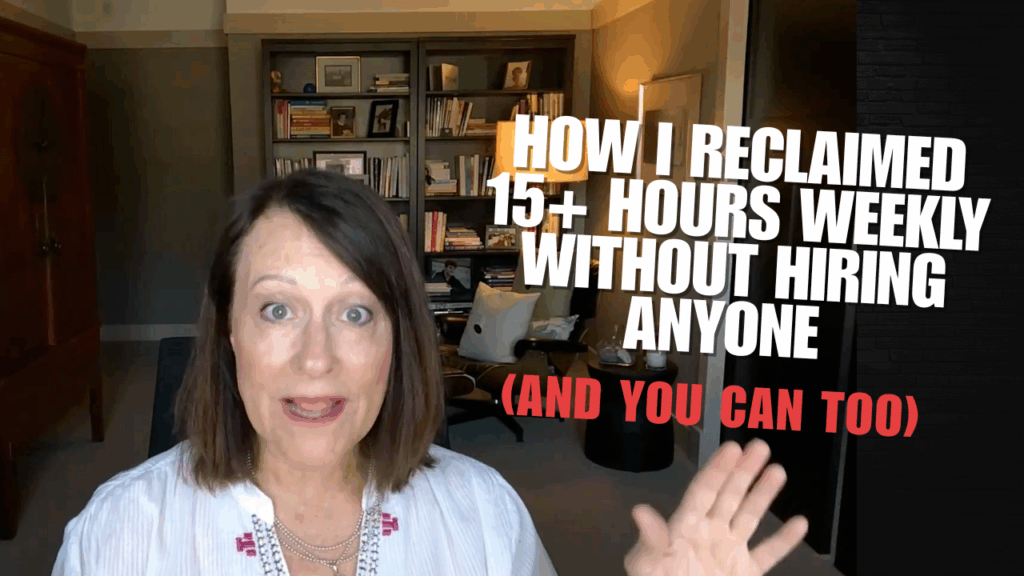
TL;DR: I built three AI assistants that handle my client deliverables, course creation, and weekly newsletters—giving me back over 15 hours a week.
No team required. No outsourcing headaches. Just smart automation that actually sounds like me.
But here’s what most people miss:
→ You’re probably already creating the content you need—it’s just buried in calls and recordings you’re not repurposing
→ Most AI tools fail because people skip the training step (I’ll show you my 3-part process that fixes this)
→ The real time-saver isn’t doing less—it’s stopping the rebuild-from-scratch cycle
Let me be real with you for a second. A few months ago, I was drowning. Client calls, course content, emails, social posts—all of it piling up. And everyone kept telling me the same thing: “You need to hire someone.”
But here’s the problem with that advice: I didn’t need more people. I needed to stop wasting my time on things I’d already done.
Think about it.
How many times have you delivered an amazing coaching session, hung up the phone, and then spent another two hours trying to recreate that magic in a summary email?
Or taught something brilliant in a training, only to start from scratch when it’s time to turn it into course content?
That’s where those 15 hours were going. And I bet it’s happening to you too.
So instead of hiring, I built a system of AI assistants that handles all of it. And I’m going to walk you through exactly how I did it—including the one thing that makes these assistants actually work (because most people skip this step and wonder why their AI sounds robotic).
The Real Problem Nobody’s Talking About
Most coaches, consultants, and course creators think they need to do more to grow. More content. More calls. More everything.
But what if the real issue is that you’re recreating the wheel every single time you sit down to work?
Here’s what I realized: Every client call I did was full of valuable content, insights, and stories. Every training session I delivered had frameworks and examples that my audience needed to see again. Every strategy I explained on a call could become an email, a social post, a course lesson.
But all of that brilliance? It was just sitting in my Zoom cloud, unused.
I was spending over 15 hours a week doing things I’d already been paid for—just in different formats. Client session? Two hours. Then another hour writing up the summary. Then more time pulling insights for content. You get the picture.
That’s when I stopped thinking about doing more and started thinking about reusing better.
My Three Go-To AI Assistants (And Why They Actually Work)
Here’s the thing about AI assistants that nobody tells you: They’re only as good as how you train them. Most people treat them like Google—type in a quick request and hope for the best.
That’s why their content sounds generic and robotic.
I use a different approach. Every assistant I build gets three things: a clear role, tons of context, and a specific request. (I’ll break down that formula in a minute because it’s the secret to making these actually sound like you.)
But first, let me show you the three assistants that gave me my time back.
Assistant #1: The Client Call Assistant
This one is my workhorse. Every time I do a client call, strategy session, or even a free consultation, I record it. Then I run that transcript through my client call assistant.
And it doesn’t just give me a generic summary. It creates:
→ Post-call summaries that my clients actually want to save
→ Follow-up action items that are clear and specific
→ Content ideas pulled directly from what we talked about
→ Stories and examples I can use in future trainings or emails
Here’s the part that changed everything: I stopped treating client work as a one-and-done transaction. Now every call becomes a content asset.
That client who asked the perfect question about mindset? That’s now a newsletter topic. The strategy I explained for scaling? That’s a future training. The breakthrough moment they had? That’s a story for social media.
I’m getting more ROI from every hour I spend with a client because I’m not letting those insights disappear into the void.
Reality check: The first time you do this, it feels weird. You might think, “Is it okay to repurpose what I said on a client call?” But here’s the thing—you’re not sharing private details. You’re capturing the teaching moments, the frameworks, the wisdom you’re already giving away. And your clients actually appreciate getting better follow-up materials because of it.
Assistant #2: The Course Content Assistant
Raise your hand if you’ve ever taught something live, nailed the explanation, and then sat down to create the course materials and thought, “How did I say that again?”
Yeah. Me too. For years.
That’s why I built a course assistant that takes my training transcripts and turns them into structured course content. And I’m not talking about just cleaning up the transcript—I mean actually creating:
→ A compelling training description that makes people want to watch
→ Step-by-step guides that break down the process
→ Actionable checklists they can use right away
→ FAQs based on what people actually ask during the session
This flipped my entire content creation process upside down. I used to spend hours upfront trying to write the perfect course outline, script, and materials. Now? I just teach it once, record it, and let my assistant reverse-engineer everything.
Every time I use this (which is at least twice a week), I save 2-3 hours. That’s the time I would’ve spent trying to remember what I said, reorganizing my thoughts, and formatting everything.
Plus, here’s a bonus: When you create content this way, it actually sounds more natural. Because it is. You’re capturing how you naturally explain things, not how you think you should explain them.
Assistant #3: The Email Newsletter Assistant
This one might be my favorite because it solved my most consistent pain point: showing up in my audience’s inbox every single week.
I know email marketing is non-negotiable. It’s one of the best ways to stay top of mind, build trust, and actually convert people into clients. But it’s also one of the easiest things to fall behind on.
Because let’s be honest—some weeks, you just don’t feel like writing. Or you sit down to draft your newsletter and stare at a blank screen for an hour because you can’t figure out what to say.
My email assistant changed all of that. It’s trained on how I talk, what I teach, and the examples that resonate most with my audience. And it can take one piece of content I’ve already created—a video, a training, even a social post—and turn it into a full newsletter.
Not just any newsletter. One that:
→ Teaches something valuable
→ Shifts perspective (not just regurgitates information)
→ Ends with a clear call to action
→ Actually sounds like me
I send two emails a week. That’s over two hours every week that I’m not sitting there wondering what to write or second-guessing my intro. And here’s the kicker: It writes it better than I could myself. Because it’s pulling from my best-performing content—the stuff that already got opens, clicks, and replies.
What most people miss: Your email assistant is only as good as the examples you train it on. I gave mine my highest-performing emails, the ones that got responses, the ones people forwarded. That’s how it learned my voice. If you just feed it generic content, you’ll get generic results.
The Formula That Makes These Assistants Actually Work
Okay, here’s the part where most people fail with AI. They think they can just say “write this” or “summarize that” and get great results.
But AI doesn’t work like that. Not if you want it to sound like you, stay on-brand, and actually be useful.
I use a three-part prompt process for every assistant I build. And once you understand this formula, you can create assistants for anything in your business.
Part 1: Give It a Role
Who is this assistant? Not just “an assistant”—give it a specific role. A course designer. A client strategist. A newsletter writer.
This tells the AI what lens to use when it’s working. My course assistant thinks like a curriculum designer. My email assistant thinks like a copywriter who knows my audience inside and out.
Part 2: Give It Context (Lots of It)
This is where most people skimp, and it’s why their AI sounds generic.
Your assistant needs to know:
→ What it’s working with (a transcript, a content outline, your existing materials)
→ How you talk (examples of your best work, your voice and tone)
→ What your audience cares about (their pain points, goals, questions)
Some of this goes directly into the prompt. But if your prompt gets too long, you can load additional context into a knowledge base. That’s what I do with my brand voice guide, writing samples, and offer descriptions.
The more context you give, the better the output. Period.
Part 3: Give It a Specific Request
Finally, tell it exactly what you want. Not “help me with my course.” Be specific: “Turn this training transcript into a course description, step-by-step guide, and checklist.”
When you combine all three—role, context, and request—your AI assistant stops being a tool and starts being a partner.
Here’s What Actually Changed in My Business
Getting back 15 hours a week isn’t just about having more free time (though that’s nice). It’s about what you do with those hours.
For me, those 15 hours went back into marketing. Creating content. Building relationships. Doing the things that actually grow my business instead of just maintaining it.
But here’s what surprised me: The quality of my work got better, not worse.
Because I’m not starting from scratch anymore. I’m building on what I’ve already said, taught, and created. My client deliverables are more thorough. My course content is clearer. My emails are more consistent.
And the best part? Nothing sounds robotic. Because I trained these assistants properly, they write in my voice, use my examples, and capture my personality.
I’m not outsourcing my expertise. I’m just stopping the cycle of recreating it over and over again.
What to Do Next (If You’re Ready to Get Your Time Back)
Here’s my advice: Start with one assistant. Pick the area where you’re wasting the most time.
Is it client deliverables? Build a client call assistant first. Is it course content? Start there. Is it staying consistent with your audience? Email assistant it is.
Don’t try to automate everything at once. Build one, test it, tweak it. Then add the next one.
And remember: The assistant is only as good as the training you give it. Spend time on that context piece. Give it examples. Teach it your voice. That’s where the magic happens.
The goal isn’t to replace yourself. It’s to stop doing the same work twice.
Because here’s the truth: You’ve already created most of the content you need. It’s just sitting in your Zoom cloud, your Google Drive, your brain. These assistants just help you pull it out, package it, and use it again.
So, which assistant would save you the most time? The client call assistant, the course content assistant, or the email newsletter assistant? Think about where you’re rebuilding the wheel every week. That’s where you start.
And if you want my full guide to building AI agents that actually work—complete with prompts, examples, and the exact setup I use—just say “agent” in the comments. I’ll send it right over.
Because the real competitive advantage isn’t working more hours. It’s getting smarter about the hours you already have.
About the methodology behind this: These three assistants were built and refined over three months of daily use across client work, course creation, and email marketing. The time savings are based on tracked hours before and after implementation, comparing time spent on deliverables, content creation, and email writing. The 3-part prompt formula (role, context, request) comes from testing dozens of variations and identifying the structure that consistently produces the most accurate, on-brand results across different AI platforms including ChatGPT, Claude, and Gemini.
Watch the Video Here Where I Share How I Reclaimed 15+ Hours Weekly Without Hiring Anyone
Does Your AI Content Sound Generic?
Get Your Custom AI Voice Authority Playbook Done For You In Just 30 Minutes
Go from blah to brilliant with this single document any AI needs from you so that it can understand your voice, your audience, your offers and start creating content that is authentically you.