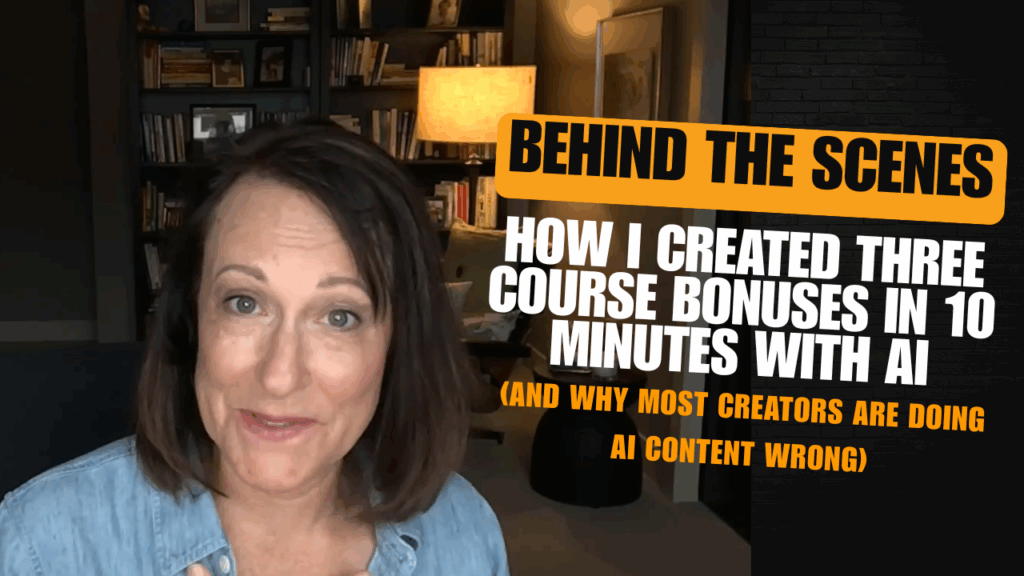
Behind the Scenes of Training an AI Assistant for Content Creation (I Created 3 Course Bonuses in Under 10 Minutes)
Last week, one of my clients came to me in full panic mode. They’d launched their course seven months ago, students were asking questions, and that’s when they realized—the three bonuses promised on the sales page?
Never created. Not started. Not even outlined.
Most course creators would spiral here. I’ve watched it happen. They’d either delay for weeks trying to “find the time” or rush through generic content that feels off-brand. But we solved it in less than 10 minutes using a trained AI assistant. And I’m going to show you exactly how.
How we solved this: I used a trained AI assistant in Claude that already knew my client’s voice, course framework, and teaching style. We copied bonus descriptions from the sales page, dropped them into the trained agent, and got three fully-fleshed content pieces—accurate, aligned, and ready to record.
Total time: less than 10 minutes.
But here’s what most people miss:
→ Generic AI tools will give you generic results—you need a trained AI assistant that knows YOUR business
→ Speed means nothing if you’re just creating more work through editing and rewriting
→ The real bottleneck isn’t AI capability—it’s that you haven’t taught it your voice and framework yet
What we’re covering: How to train AI assistants for your business, why most people get terrible results from ChatGPT, and the specific process I used to rescue my client…
This isn’t about prompts—it’s about building a system that actually knows your work.
Why Your AI Content Sounds Like Everyone Else’s (And What a Trained AI Assistant Changes)
Here’s what happens when most coaches try to use AI for content creation: they open ChatGPT, type something like “write me a bonus about email marketing,” and get back 500 words of generic advice that could’ve been written for anyone. I
t doesn’t sound like them. It doesn’t match their framework. And it definitely doesn’t connect with their specific audience.
So they spend hours editing, rewriting, or just scrapping it and starting over manually.
The problem isn’t AI. The problem is you’re asking a stranger to write content for your business.
Think about it—if you hired a copywriter, you wouldn’t just say “write something about email marketing” and expect them to nail your voice on the first try. You’d give them your brand voice guide, examples of your work, information about your audience, and your specific frameworks. You’d train them.
That’s exactly what we did with this client. Before this bonus crisis even happened, we’d already set up a trained AI assistant inside Claude. Not just thrown some prompts at it—actually trained it with:
→ Their complete brand voice guide
→ Details about their ideal client (pain points, language, objections)
→ Their course framework and teaching methodology
→ Examples of their existing content
→ The specific structure they use for deliverables
When the panic hit about those missing bonuses, we didn’t need to start from scratch.
We had an AI assistant trained on their business that could actually help.
The 10-Minute Process: How Trained AI Assistants Create Content in Your Voice
Let me walk you through what actually happened, because this is simpler than you think once you’ve done the training work.
Step 1: We grabbed the bonus descriptions from the sales page
These were just a few sentences each—the promises that had already been made to students. Nothing fancy. Just the description that was already public.
Step 2: We dropped them into the trained Claude project
I copied the first bonus description and said something simple like “help me write an outline for this.” Claude already had all the context it needed—the client’s voice, their teaching style, their frameworks. It came back with an outline that was immediately usable.
Step 3: We asked for the full content
I didn’t need a complicated prompt. I just said “I want the actual bonus written.” And Claude wrote the entire thing. Full intro, structured content, all in my client’s voice. When they saw it, they said “Oh my gosh, it’s accurate.”
Not just fast. Not just convenient. Accurate.
That’s the difference between generic AI and a trained AI assistant.
Step 4: We repeated for bonuses two and three
By the second bonus, Claude already understood what we were doing. I didn’t even need to explain the format again. Copy the description, paste it in, get the content. Each one took maybe 2-3 minutes.
Step 5: Client review and personalization
We copied everything into Google Docs. The client fact-checked, added a few personal touches, and then recorded short intro videos for each bonus. That’s it.
Total time from panic to done: less than 10 minutes for content creation, maybe another 20 minutes for client review and video recording.
What Made This Actually Work (The Part Everyone Skips)
The magic wasn’t in the prompts. The magic was in the setup that happened months before this crisis.
We’d built a trained AI assistant that knew:
→ How my client explains concepts (their specific metaphors and examples)
→ Who they’re talking to (the exact pain points and language their students use)
→ Their content structure (how they organize teaching materials)
→ Their brand voice (conversational, empowering, step-by-step)
When you have that foundation, you’re not starting from zero every time you need content. You’re working with an assistant that already gets your business.
Most people never do this setup.
They keep going back to blank ChatGPT conversations, reexplaining themselves every single time, and wondering why the results are mediocre.
How to Train an AI Assistant on Your Business (Step-by-Step Setup Guide)
You don’t need to be technical to do this. You don’t need coding skills. You just need to be methodical about teaching AI your business.
Start with your brand voice and framework
The first thing I train into any client’s AI assistant is their brand voice guide. How do they talk? What words do they use? What do they avoid? What’s their tone—are they warm and encouraging, or direct and strategic?
Then I add their frameworks. If you teach a specific methodology, process, or system, AI needs to know that. Otherwise it’ll just make up generic steps that don’t match your IP.
Add your audience details
Who are you talking to? What are their exact pain points? What language do they use to describe their problems? What objections do they have?
The more specific you are here, the better your AI content creation will be. “Small business owners” is too vague. “Course creators who feel overwhelmed by content creation and don’t trust AI to capture their voice” is specific enough to work with.
Include examples of your best work
Feed in samples of your emails, blog posts, video scripts—whatever represents your voice at its best. AI learns by example. Show it what good looks like for you.
Use project-based training (Claude) or custom instructions (ChatGPT)
In Claude, you can create projects with knowledge bases—upload documents, add instructions, build a trained workspace. In ChatGPT, you can use custom instructions and memory features to teach it over time.
The key is consistency. Don’t start fresh every time. Build on what you’ve already taught it.
When Your Trained AI Assistant Still Needs You (And Why That’s a Good Thing)
Here’s something I told my client after we created those bonuses: AI helped us write the content, but you’re going to make it real.
Before she recorded the intro videos, I reminded her to ground her energy, regulate, and talk to her students like she was speaking to someone who’d been waiting for this content. That’s when it would actually land.
AI can’t do that part. It can’t bring your presence, your energy, your lived experience into the work. It can give you a really solid draft that’s 80-90% there, but you still need to review it, personalize it, and deliver it in a way that feels like you.
And honestly? That’s how it should be.
The goal isn’t to remove yourself from your content. The goal is to remove the parts that drain you—the blank page, the formatting, the structure—so you can focus on the parts that only you can do.
Real-World Reality Check: What Could Go Wrong With AI Content Creation
Let me be honest about where this approach can fail, because I’ve seen it happen:
If you skip the training step, you’ll get generic garbage. Seriously. Don’t expect good results if you’re just throwing random prompts at ChatGPT. You get out what you put in.
If your source material is vague, AI will be vague too. Those bonus descriptions from the sales page? They were clear and specific. If they’d been wishy-washy, the output would’ve been wishy-washy.
If you never fact-check, you’ll publish inaccuracies. AI can hallucinate. It can make up statistics or misunderstand context. Always review. Always fact-check. Always personalize.
If you’re creating something brand new that you haven’t taught yet, AI won’t magically know it. This worked because the client already HAD a framework and methodology. We’d already trained the assistant on their existing content. If you’re developing something completely new, you’ll need to do more of the thinking yourself first.
What You Can Create With a Trained AI Assistant (Beyond Course Bonuses)
Once you have a trained AI assistant for content creation, the applications are pretty much endless:
→ Email sequences that actually sound like you
→ Social media content that matches your voice
→ Client onboarding materials
→ Workshop outlines and scripts
→ Blog posts and articles
→ Video scripts and talking points
→ Lead magnets and free resources
→ Sales page copy (with your review and editing)
The pattern is always the same: you give direction and context, your trained AI assistant gives you a solid draft in your voice, you review and personalize, then you publish or deliver.
It’s not about replacing your expertise.
It’s about having a thinking partner that already knows your work and can help you get it out of your head faster.
The Bottom Line: Why Training Your AI Assistant Changes Everything
My client was embarrassed when they came to me. They felt like they’d dropped the ball, let their students down, and now had this massive project looming over them.
Instead, we handled it in under 10 minutes. Students got their bonuses. Crisis averted.
But the bigger lesson isn’t about crisis management. It’s about building systems that work FOR you instead of adding more to your plate.
When you take the time to train an AI assistant on your business—your voice, your frameworks, your audience—you’re not just saving time on one project. You’re creating a resource that makes everything easier going forward.
You’re also maintaining quality. Because a trained assistant gives you better first drafts, which means less editing, less frustration, and content that actually sounds like you.
So here’s what I want you to think about: What would you do if you had an AI assistant trained on your content and your voice? What’s the project you keep putting off because it feels too big? What’s the content you know you need to create but can’t find the time?
That’s where this system shines.
And if you’re thinking “okay, this sounds great, but I don’t even know where to start”—that’s fair. This is exactly what I help clients set up. Not just the AI tools, but the strategy behind them. Teaching AI your voice, your frameworks, your business.
Because at the end of the day, AI is just a tool. A really powerful one, but still just a tool. It can’t replace your voice, your expertise, or your presence. But when you train it right? It can help you get your work out into the world faster, with less stress, and more consistency.
And sometimes, it can even save your course launch when you realize you forgot to build the bonuses.
About the Process: This approach was developed through working with hundreds of coaches and course creators who were struggling with AI content that didn’t sound like them. The training methodology combines brand voice development, framework documentation, and iterative refinement based on client feedback. Results vary based on the clarity of source materials and time invested in initial setup (typically 2-4 hours for complete AI assistant training).
Limitations: This system works best when you already have established frameworks and content examples. If you’re just starting out or developing entirely new methodologies, you’ll need to create more source material first. AI assistants also require periodic updates as your voice and business evolve—plan for quarterly reviews of training materials.