
This post is part of my complete guide to AI employees.
Read the full guide → AI Employees: How to Hire Your First AI Team Member
It is possible to add AI team members without drowning in Tech overwhelm?
I recently had someone who was newer to using AI in their business ask me this questions.
Here’s what I said: If you’re making 5-6 figures but spending all your time on delivery and admin instead of growing your business, three specific AI assistants can shift you back into the promotional zone.
The key?
Training these AI team members to sound like you first, then layering in an email assistant and call assistant that actually save time instead of creating more work.
But here’s what most people don’t know about:
→ Setting up AI tools without training them in your voice first means you’ll never trust the output enough to actually use them
→ Your client calls are sitting on a goldmine of testimonials, content ideas, and sales intelligence that disappear the second you hang up
→ The ROI isn’t just in time saved—it’s in the consistency these systems create when you’re too burned out to show up
I’m going to walk you through exactly how to set this up, based on what’s working right now with coaches and course creators who were completely buried before implementing this framework.
Why Most AI Implementation Attempts Fail (And What to Do Instead)
Here’s what I see happen: Someone gets excited about AI, signs up for ChatGPT, tries to create a social post, gets back something that sounds like a robot wrote it, edits it for 20 minutes to make it sound human, and decides AI isn’t worth the hassle.
The problem isn’t AI. The problem is sequence.
Most people skip the foundation step—teaching AI how you actually communicate.
They jump straight to asking it to write emails or create content, and they get generic output that needs so much editing it would’ve been faster to write from scratch.
When you train AI in your voice first, everything else clicks into place. Emails get sent because they don’t need heavy editing.
Content gets created because it actually sounds like you. You start trusting the system enough to use it consistently.
That’s why voice training isn’t just helpful—it’s non-negotiable if you want AI to actually free you up instead of creating more busywork.
The Four P Framework: Where You’re Actually Spending Your Time
Before we talk about specific AI assistants, you need to see where your time is going right now. I use a four-quadrant framework with my clients—I call it the Four Ps:
→ Promotion – Creating content, showing up online, engaging with your audience, building visibility
→ Product – Developing your offers, refining your programs, creating new content for clients
→ People – Client delivery, coaching calls, one-on-ones, group sessions
→ Process – Operations, admin, emails, tech setup, systems
Most coaches and course creators at the 5-6 figure mark are spending 80-90% of their time in quadrants 3 and 4. They’re delivering to clients and drowning in operations. Maybe 10% goes to product development.
And promotion?
That gets whatever’s left—which is usually nothing.
It’s not because you don’t know promotion matters. It’s because there’s literally no time left after everything else.
This is the trap: The very activities that would grow your business (promotion) get pushed aside by the activities required to run your current business (delivery and operations).
You can’t scale because you’re stuck managing what you’ve already built.
The three AI assistants I’m about to show you are specifically designed to pull you out of quadrants 3 and 4 so you can get back into quadrant 1. Because that’s where your growth actually happens.
AI Assistant #1: Your AI Voice Authority System (The Non-Negotiable Foundation)
This is the make-or-break piece that determines whether everything else works.
Your Voice Authority System teaches AI how you naturally communicate—your frameworks, your phrases, how you explain things, how you talk to your specific audience. When it’s done right, AI can generate content that’s 80-90% in your voice with minimal editing.
What gets fed into this system:
→ Examples of your best-performing content (emails, posts, videos scripts)
→ Your messaging frameworks and how you structure explanations
→ Your buyer’s blueprint—who you serve and how you talk about their problems
→ Your brand voice guide—tone, language patterns, what you avoid saying
→ Your offer messaging—how you position what you sell
This isn’t about giving AI a two-sentence prompt like “write in a friendly, professional tone.”
That gets you nowhere.
This is about creating a comprehensive training document that captures your actual communication style.
The real-world reality here: This takes time to set up properly.
You’re looking at 30-60 minutes of focused work to build out your voice training document. But once it’s done, it becomes the foundation for every other AI assistant in your business.
I did this for my own business last summer, and it completely changed how I create content. Before that, I’d sit down to write an email and stare at a blank screen for 20 minutes. Now, I feed AI the topic and get back a draft that sounds like me in about 2 minutes. I spend another 3-5 minutes tweaking it, and it’s ready to send.
That’s the difference between AI as a productivity tool versus AI as another thing on your to-do list.
Common mistakes I see with voice training:
→ Using generic prompt bundles instead of building a personalized voice document
→ Not updating it as your messaging evolves (this is a living document)
→ Trying to make AI sound “more professional” instead of capturing how you actually talk
→ Forgetting to include examples of your frameworks and how you teach concepts
Without this foundation, every other AI assistant will feel off.
You won’t trust it.
You won’t use it consistently. And you’ll stay stuck in the operations quadrant because nothing else is working.
AI Assistant #2: Your Email Marketing System (The Consistency Engine)
Once AI knows how to sound like you, the next assistant to set up is your email marketing system.
This one gave me the freedom to go away every weekend last summer. I even took a two-week European vacation and stayed in consistent touch with my email list with minimal work on my end.
Here’s how it works: Every week, AI helps you send an email to your list. It’s pulling from your voice training, so it sounds like you. It’s addressing topics your audience cares about. And it keeps you visible even when you’re buried in client delivery.
The process takes about 20-30 minutes per week:
→ You give AI the topic or theme (or ask it to suggest topics based on your audience)
→ It generates a draft email in your voice
→ You review, tweak any sections that need it, and send
→ You track which topics get the best engagement
But here’s where it gets really interesting: Your weekly emails become your testing ground.
You’re not just staying in touch with your list. You’re gathering data on what resonates. After a month, you look at which emails got the most opens, clicks, and replies.
Those winning topics?
They become your next video, your next social post, your next workshop topic.
Now you’re not guessing what content to create. You’re creating based on what your actual audience is responding to.
This shift from guesswork to data changes everything. You stop wasting time on content nobody cares about. You start doubling down on the topics that actually attract clients.
What this AI assistant needs to work properly:
→ Your voice training document (from AI Assistant #1)
→ Your email list in whatever platform you use (ConvertKit, MailChimp, ActiveCampaign, etc.)
→ A simple content calendar or topic list
→ 20-30 minutes per week for review and sending
The time savings alone—about 2 hours per week—pays for itself. But the real value is in the consistency.
When you’re showing up in your subscribers’ inboxes every week, relationships start and grow. When you disappear for weeks at a time because you’re too burned out to write, those relationships go cold.
Your email list is where most of your conversions happen. This AI assistant makes sure you’re actually nurturing it instead of letting it sit there while you’re buried in everything else.
AI Assistant #3: Your Call Intelligence System (The Hidden Revenue Multiplier)
This is the AI assistant I use every single day in my business, and it impacts almost every area.
Your client calls and sales calls are full of valuable information that disappears the second you hang up. This AI assistant captures all of it and turns it into actionable intelligence.
Here’s what it does across seven different prompts (I’m focusing on the three I use most):
Sales Call Analysis
After every sales conversation, this AI reviews the transcript and tells you exactly where the prospect is in their decision process. It identifies objections, highlights buying signals, and helps you craft the perfect follow-up message or proposal.
I can’t tell you how many sales used to slip away because I didn’t follow up effectively or I missed a key buying signal during the conversation. Now, I get a clear breakdown of every call with specific next steps.
Real example: Last month, I had a call with a prospect who seemed hesitant. The AI flagged that she mentioned budget concerns twice but also said “I know I need to figure this out.” The follow-up template it suggested addressed the budget concern directly with payment options and reframed the investment around the cost of not solving the problem. She booked within 48 hours.
Coaching Call Summaries
Whether it’s a one-on-one or a group call, this AI automatically captures the notes, next steps, and action items. You send organized recaps to your clients that keep them moving forward.
But here’s the bigger benefit: You can stay fully present during the call instead of frantically taking notes.
Last week, I was on a call with my client Roberta. We were reviewing her client pipeline, and because I wasn’t distracted by note-taking, I caught something important—she had a list of past clients who’d been asking about her next program, but she’d never followed up with them. We identified a potential six-figure opportunity sitting right there.
If I’d been focused on capturing notes, I would’ve missed that completely.
Testimonials and Wins
Your calls are full of marketing gold, but most people forget to capture it in the moment.
Here’s what I do now: I start every client call by asking for wins. It serves three purposes:
→ It kicks off the call on a positive note
→ It positions me as the expert who gets results
→ The AI flags those client breakthroughs so I have ready-to-use testimonials
Just the other day, someone in a coaching group mentioned they’d forgotten to get testimonials from their clients. They were scrambling to reach out to people weeks or months later. When you’re capturing wins in real-time during calls, you never have that problem.
The AI automatically pulls out client stories that become social posts, case studies, and proof for your next video or sales page.
Content Topic Generation
Every question your clients ask, every struggle they share, every breakthrough they have—all of it becomes content ideas.
No more staring at a blank screen wondering what to talk about. Your calls give you an endless stream of topics your audience is already asking about.
What you need to set this up:
→ A transcription tool (Otter, Fireflies, or built-in Zoom transcription)
→ Your voice training document so AI understands your business context
→ The seven prompt templates (sales analysis, coaching summaries, testimonials, content topics, follow-up templates, proposal drafting, objection handling)
→ 10-15 minutes after each call to review and process the AI’s analysis
This AI assistant saves at least 2 hours per week, but the real ROI is in what it enables: More sales closed, better client service, a full content pipeline, and the ability to stay present during your most important conversations.
Why These Three Specific AI Assistants (And Not the Other 47 Tools You’ve Heard About)
If you’re watching AI tools pop up every week, you’re probably wondering why I’m focusing on just these three.
It’s because they’re specifically designed to move you from operations into promotion. They address the exact bottleneck that’s keeping 5-6 figure coaches and course creators stuck.
The AI Voice Authority System makes it possible to create content quickly without it feeling like a slog. When AI can draft emails, posts, and scripts in your voice, content creation shifts from a 2-hour task to a 20-minute task.
The Email Marketing System keeps you visible and nurturing your audience even when you’re buried. It also gives you data on what topics resonate, so your content strategy is based on real engagement instead of guessing.
The Call Intelligence System recovers revenue that would otherwise slip away, captures client wins you’d forget, and sources endless content ideas from your actual client conversations.
Together, these three free up 6-8 hours per week and move you back into the promotional zone where your growth happens.
They’re also easy to implement and get wins quickly. You can have all three set up and working within 7 days or less. Compare that to complicated automation platforms that take weeks to configure and still don’t feel quite right.
The Bigger Picture: From Overwhelmed to AI-Powered Efficiency
These three AI assistants plug into a bigger framework I use with all my clients. It’s how I take them from completely overwhelmed—working nights and weekends, buried in delivery and admin—to running an efficient, AI-powered business that gives them their time back.
The shift happens in four stages:
Efficiency: You get your time back. Tasks that used to take 2-3 hours now take 20-30 minutes.
Confidence: Your business starts running without you micromanaging every detail. AI team members and live team members both work more effectively because they have clear systems and support.
Balance: You can scale your business without losing your life. You’re not doing it all yourself, and you’re not managing a huge team either.
Freedom: Your business finally gives you real leverage. You’re making more money while working fewer hours because you’ve built systems that work for you.
And it all starts with these three AI assistants moving you from operations into promotion. Once you’re consistently visible again—showing up, creating content, engaging with your audience—you can start building the rest of your AI business team to handle other bottlenecks.
The Implementation Reality Check
I’m not going to pretend this is completely plug-and-play. There’s real setup work involved, especially with the voice training foundation.
Here’s the honest breakdown of what you’re looking at:
Week 1: Voice Training Setup
→ 30-60 minutes to create your comprehensive voice training document
→ Gather examples of your best content, messaging frameworks, and audience insights
→ Test it with a few content drafts to make sure the output sounds like you
Week 2: Email System Implementation
→ 45 minutes to set up your email workflow
→ Create your first AI-assisted email and send it
→ Set up tracking to see what topics resonate
Week 3: Call Intelligence Setup
→ 30 minutes to configure your transcription tool
→ Set up the seven prompt templates
→ Process your first call transcript and review the outputs
After that initial three-week setup, you’re in maintenance mode: 20-30 minutes per week for emails, 10-15 minutes per call for the intelligence system, and occasional updates to your voice training as your messaging evolves.
The most common mistake I see: People try to set up all three in one day, get overwhelmed, and abandon the whole thing. Take it in stages. Get the voice training right first. Then add the email system. Then layer in the call intelligence.
You don’t have to do this all at once. Start with the one that solves your biggest bottleneck right now.
What Happens When You Don’t Implement Systems Like This
Let me paint you a picture of where this road leads if nothing changes.
You keep spending 80-90% of your time on client delivery and operations. You keep telling yourself you’ll focus on marketing and promotion “once things slow down.” But things never slow down.
Your income plateaus because you can’t take on more clients without working even more hours. You can’t raise your prices because you’re not visible enough to command premium rates. You start feeling resentful of your business instead of excited about it.
Eventually, you either burn out completely and shut down, or you make a panic hire—bringing on a VA or team member before you have systems in place to support them. That creates a whole new set of management headaches.
I’ve watched this pattern play out with dozens of coaches and course creators. The ones who break the cycle are the ones who implement leverage systems before they’re completely underwater.
These three AI assistants give you that leverage without the overhead of managing a big team or the burnout of doing everything yourself.
If you’d like to know which AI team member to add first in your business, take the free 2-Minute AI Business Audit below. It shows you the first three agents to build, what not having them is costing you, and what changes once they’re running.
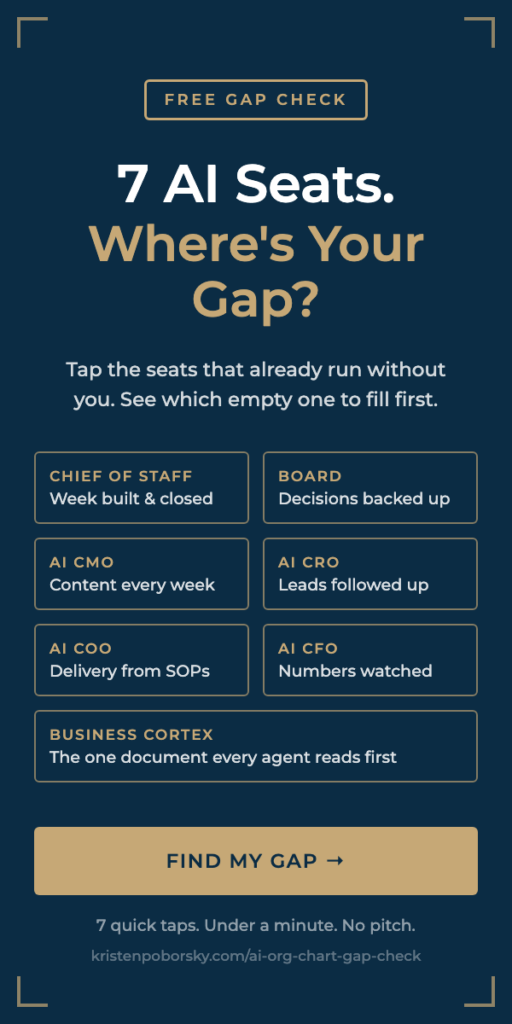
Take the free 2-Minute AI Business Audit, or steal my AI org chart, and see which seats your AI team still has empty.
Watch the Video Here Where I Walk You Through How to Add AI Team Members Into Your Business