
Last updated: September 2026
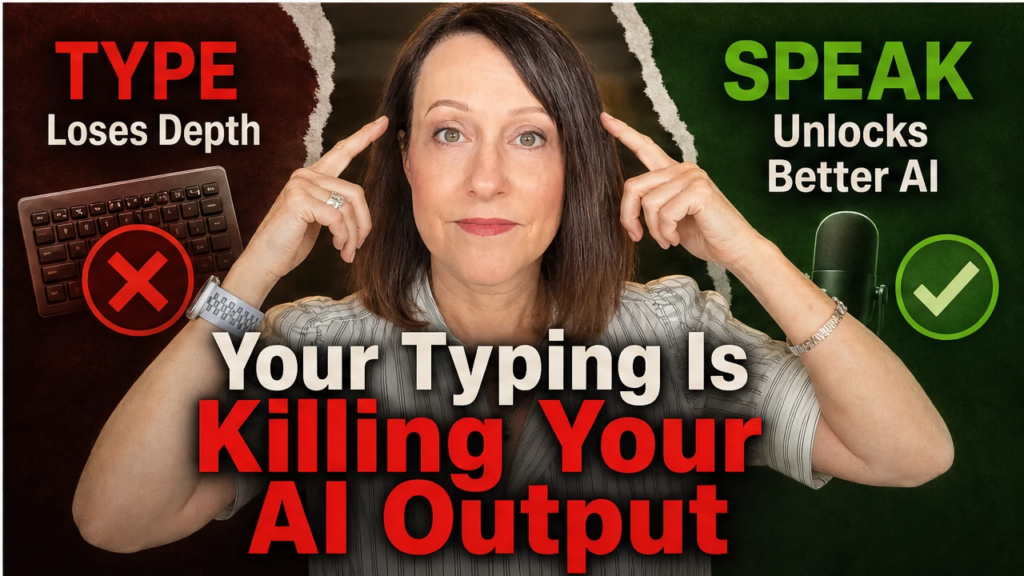
The fastest way to get AI output that sounds like you isn’t a better prompt. It’s voice prompting. When you talk instead of type, the full story, context and detail flow naturally; typing filters and abbreviates your thinking. Here’s how voice prompting works and why it changes your AI output.
Key Takeaways
Why Talking to Your AI Gets You Better Output Than Typing Ever Will
- The gap in your AI output isn’t the tool — it’s how much of your actual thinking makes it into the prompt.
- When you type, your brain filters and abbreviates. When you talk, the full story, context, and detail come through.
- Switching from typing to voice prompting — using a tool like Wispr Flow or even the built-in Claude mic — can be the single fastest way to close the gap between “AI-ish” and “sounds exactly like me.”
This post is part of my complete guide to AI business teams — what they are, what they cost compared to hiring, and how to build one.
Read the full guide → The AI Business Team
Recently I found a bottleneck inside my own business.
Here’s the thing about problems: you can always spot someone else’s before you see your own. I’ve been helping coaches, consultants, and course creators build AI systems and agents that genuinely run in the background. Real workflows, real results, real time back in their day. And my own setup? Mostly working great — except for one spot where things kept getting sticky. When I finally saw it, it was so obvious I had to come share it.
Because whether you’ve got a full AI business team running or you’re just prompting ChatGPT and Claude for content help, this might be exactly what’s happening to you too.
The Real Reason Your AI Output Feels “Almost Right” But Not Quite
Most people assume the problem is the tool. Wrong platform, wrong model, wrong setup. I’ve been in the AI space long enough to know — the tool is almost never the problem.
The setup isn’t usually the problem either. It’s the input.
What you bring to your AI to work with — the context, the prompt, the specific details you give it in that moment — that’s what determines everything on the other side. My agents know my voice, my frameworks, my way of explaining things. They know not just what I do but how I do it and why I do it. But they only know what I give them in that conversation.
So when I give a thin, rushed prompt, my agents fill in the gaps with something that’s kinda like me. When I give them the full picture — the specific feeling I want an email to land on, the exact story from a session I want woven in, the energy I want the whole piece to carry — that’s when I get something that actually converts and sounds like me.
Here’s what I finally caught: I had a gap I wasn’t seeing. My own input was getting cut in half before my agent even saw it.
How Your Keyboard Is Filtering Out Your Best Thinking
I’m a genuinely fast typist. Took typing before keyboards were even a common thing — back in the typewriter days. And I still noticed this happening to me, so if you’re a fast typist, heads up.
When I type, something happens between my brain and my fingertips. My brain edits on the way out. It filters. It abbreviates. It cuts things short.
I’ll have a full story in my head — something specific that happened in a client session, the exact feeling I want to create in an email — and what comes out in the typed prompt is a summary. A sketch. Not the real thing.
For AI, that matters enormously. Context is everything. The richer and more specific the input, the better what comes back sounds like you. And typing was cutting my context in half before my agent even had a chance to work with it.
I started experimenting with the built-in microphone in Claude, and right away I noticed the difference. When I spoke instead of typed, the context was richer. I told stories. I added detail I would have left out if I was typing. My agent started getting the full version of what was in my head, and the output started reflecting that.
That was already a big shift. But the built-in mic had a ceiling — it only worked inside Claude, and for a real stream-of-consciousness download before a big project, I’d hit a wall.
That’s when I found Wispr Flow.
What Wispr Flow Actually Does (And Why It Changes Everything)
This isn’t an affiliate recommendation — I don’t have one. I’m just sharing what changed my own workflow.
Wispr Flow is a voice-to-text tool that lives across your entire computer. Not inside one app. Everywhere. Any text field, any platform, any tool you’re already using. You set a hotkey, you click into the field where you want to type, you hit that key, and you talk. The words appear right where your cursor is.
So now when I’m briefing my email agent or starting a content prompt or working through something for a client, I talk instead of type. The whole thing. The context, the stories, the background, the tone, the specific details that would never survive the trip through my fingers — all of it goes in.
Here’s a real example. I was building a follow-up email sequence for a webinar replay. Before Wispr Flow, I’d upload the transcript, type out what I wanted, try to capture the context in a few sentences, and wait to see what came back. It was usable. I got conversions from it. But something was always a little missing.
With Wispr Flow, I just clicked that hotkey and talked. I talked about what I wanted people to feel when they opened each email. I talked about a specific question someone asked during the live session — a real moment I wanted woven into the sequence. I talked about how I wanted that last email to feel different from the first. I explained the whole thing like I was talking to a colleague.
What came back was the best email sequence I’ve ever gotten from that agent. My stories. My specific language. Not a polished version of something generic — more real to me, to my audience, and to what I was actually thinking.
How to Start Voice Prompting Right Now
Getting started with Wispr Flow takes about five minutes.
ONE: Go to wisprflow.ai — there’s a free version that works on both Mac and Windows
TWO: Install it, then set your hotkey during setup (takes 30 seconds, becomes automatic from there)
THREE: Open Claude, go into your project, and click into your prompt field first
FOUR: Hit your hotkey and start talking — don’t hold back
FIVE: Talk for 30 seconds, a minute, two minutes if the project calls for it
Tell the whole story. Give all the context. Say the specific thing you’d normally cut because it felt like too much to type.
And if Wispr Flow isn’t for you, the built-in mic in Claude is a real starting point. The principle is the same — stop typing your thoughts, talk them instead.
Why Voice Prompting Closes the Gap
Your AI can only be as good as what you bring to it. Your knowledge, your voice, your stories, your experience — that’s what makes AI output worth anything. That’s what separates “sounds like AI” from “sounds like me.”
And most of the gap isn’t the tool. It’s how much of yourself you’re actually getting in.
The sticky spots in a business are where the flow stops — where everything has to push through one point. I built my AI business team to fix sticky, to get my knowledge out of my head and into systems that work without me pushing them every minute.
But I had a gap I wasn’t seeing. My own input was getting filtered down to half of what it needed to be. Wispr Flow combined with Claude fixed that.
If you’ve got a brain full of knowledge, experience, and stories that no AI came preloaded with — stop letting your keyboard stand between all of that and the output you’re actually capable of getting.
Get your voice in there. Get your stories in there. Talk to your AI instead of at it.
Want to know which AI agents your business needs first? Take the free 2-Minute AI Business Audit. It shows you the first three agents to build, what not having them is costing you, and what changes in your business once they’re running. Or steal my AI org chart and see which of the 7 AI seats your business still has empty.
Frequently Asked Questions
Why does voice prompting get better AI output than typing?
A: When you type, your brain naturally edits and compresses before your fingers hit the keys — you end up giving AI a summary of your thinking instead of the full thing. When you talk, the detail, stories, and context flow out more naturally. AI output quality is directly tied to the richness of what you put in, so more complete input means output that actually sounds like you.
What is Wispr Flow and how does it work?
A: Wispr Flow (wisprflow.ai) is a voice-to-text tool that works across your entire computer — not just inside one app. You set a hotkey, click into any text field, hit the key, and speak. Your words appear right where your cursor is. There’s a free version available for both Mac and Windows with no complex setup required.
Can I just use the built-in microphone in Claude instead?
A: Yes — and it’s a great place to start. The built-in mic in Claude works well for shorter prompts and gets you the same core benefit of speaking instead of typing. The limitation is that it only works inside Claude. If you want to use voice across multiple tools or give longer, more detailed streams of thinking, something like Wispr Flow gives you more flexibility.
How long should my voice prompts be?
A: As long as the project calls for. Thirty seconds works for a quick content brief. A minute or two is great for something like a full email sequence where you want to capture the specific feeling, references, and story angles you want the agent to work with. The key is to stop self-editing — say the things you’d normally cut because they feel like too much to type.
Does this only help if I have an AI business team set up?
A: Not at all. The same principle applies whether you’re working with a full set of custom agents or just having a conversation with ChatGPT or Claude. Any time you’re prompting AI, the quality of your input sets the ceiling on what you get back. Voice prompting helps anyone who types compressed, abbreviated prompts — which is most people.