
I’m about to show you something that completely changed how I run my business—and it’s going to sound almost too good to be true.
You know those transcripts from your coaching calls, sales conversations, and client meetings that just sit in your Zoom folder collecting digital dust?
The ones you know have gold in them, but you never have time to mine?
Yeah, those.
I built one AI assistant that turns all of that into summaries, content ideas, action items, client wins, sales follow-ups, and testimonials.
Not eight different tools. Not a team of VAs. One assistant.
My AI Voice Authority Call Analyzer uses eight specialized prompts in one Claude project to transform raw call transcripts into everything from sales follow-ups to content calendars—without needing to juggle multiple tools or remember complex prompts.
But here’s what most people miss:
- You don’t need separate AI tools for each task—you need one smart system that knows which prompt to use when
- The real value isn’t just in summarizing calls—it’s in capturing client language, objections, and stories you’d never remember to write down
- Most people overcomplicate this by creating tons of separate AI assistants when one well-structured project does it all
Why I Built This (And Why You Probably Need It Too)
Here’s the thing—I was drowning in great content that I wasn’t using.
Every coaching call, every sales conversation, every client delivery session had stories, insights, and content ideas buried in them.
But who has time to go back through hour-long transcripts and pull all that out? Not me. And probably not you either.
I’d finish a call, maybe jot down a few notes if I remembered, and then move on to the next thing. Meanwhile, I was missing out on:
- Client success stories I could turn into testimonials
- Real objections I could address in my content
- Exact language my audience uses (which is content gold)
- Action items that would otherwise fall through the cracks
- Content ideas that came up organically in conversation
The old way?
I’d need to (or hire someone) to listen to calls, take notes, draft follow-ups, and extract insights.
That solution is expensive, time-consuming, and honestly, most people don’t capture the nuance the way you would yourself.
The AI way most people try?
Creating a dozen different Claude projects or ChatGPT conversations, each with its own prompt, then having to remember which one does what.
That’s just a different kind of mess.
My solution: One AI assistant with eight different specialized prompts built into its knowledge base.
I tell it which prompt to use, drop in my transcript, and it does exactly what I need—in my voice, with my brand language.
How the AI Voice Authority Call Analyzer Actually Works
Think of this like having a Swiss Army knife instead of carrying around eight separate tools. Same power, way less complicated.
Here’s what’s running under the hood:
The Core Setup
Instead of putting one giant prompt in the instructions, I created a universal prompt that tells the assistant how to access and use eight different specialized prompts stored in the knowledge base.
I also loaded in my AI Voice Authority Playbook so everything it creates sounds like me—not like generic AI content. Plus my “words not to use” list, because nothing kills authenticity faster than AI jargon.
The Eight Prompts (And What They Actually Do)
Prompt 1: Course Summary Creator
When I’m doing a coaching call or teaching something that needs to go into course materials, this writes the recap. No more scrambling to remember what I taught or spending an hour writing up notes.
Prompt 2: Action Items Extractor
This one’s simple but powerful. It pulls out every action item from the call—mine, theirs, ours together. I use this with almost every other prompt because who wants to lose track of what needs to happen next?
Prompt 3: Content Topic Extractor
Your calls are a gold mine of content ideas. Every question a client asks, every “aha” moment they have, every struggle they mention—that’s content your audience needs. This prompt finds all of it and hands me a content calendar without the brainstorming.
Prompt 4: Success Stories and Wins
I start every coaching call and client meeting by asking for a win. It shifts the energy immediately, positions me as someone who gets results, and gives me a steady stream of testimonials and case studies.
Collect Wins While They’re Fresh
Here’s what most people do wrong: They wait until later to collect wins, then have to chase clients down for testimonials. By the time you ask, they’ve forgotten half the details or they’re too busy to respond.
Instead, I capture wins in real-time during our calls, and this prompt formats them into usable stories I can share (with permission, obviously). Every single week, I’m collecting content and social proof without extra work.
Prompt 5 & 6: Sales Call Summary
After a sales call, this creates a personalized recap email that references everything we discussed—their goals, their challenges, the solutions we talked about, what happens next. It’s like I took detailed notes the whole time, except I was actually present and focused on connecting.
No more generic “Thanks for chatting!” follow-ups. Every email is specific to that person’s situation.
Prompt 7: Objections and Urgencies
This is the one that changed my sales game.
It analyzes the call and tells me where they are in their decision-making process. What objections came up (even subtle ones)? What’s creating urgency? What’s holding them back?
It’s like having a sales coach review every call and tell you exactly what to address in your follow-up. You get a barometer of where they’re at so you can move the needle further instead of just hoping they’ll decide.
Prompt 8: (I customize this one based on current needs)
The beauty of this system is that I can swap out or add prompts as my business evolves. Right now, I’m testing a prompt for extracting client language patterns that I can use in sales copy.
Watching It Work: A Real Sales Call Example
Let me show you exactly how this plays out in real life.
I just finished a sales call with a potential client—let’s call him Michael. Instead of spending 30 minutes writing notes and drafting a follow-up, here’s what I did:
- Downloaded the Zoom transcript (takes 30 seconds)
- Opened my AI Voice Authority Call Analyzer
- Typed: “Analyze this transcript and use prompt number 7 in the knowledge base”
- Pasted the transcript
The assistant asked me for a few quick details—offer name, investment amount, client’s name. I gave it those in like two minutes. Then it went to work.
What It Created From One Sales Call
First, it created a complete sales call summary email. Not generic. Not robotic. It referenced specific things Michael said, concerns he had, goals he mentioned. It reminded him of details from our conversation that I honestly might have forgotten by tomorrow.
Then I asked it to use prompt number 8 (objections and urgencies).
It came back with a full analysis:
- Where prospect is in his decision-making process
- Specific objections that came up (even ones he didn’t state directly)
- What’s creating urgency for him
- What uncertainties he has about timing
- What information he needs to move forward
This is intelligence I could never capture while actively leading a sales call.
I’m focused on connecting, listening, answering questions—not analyzing psychological patterns and decision-making signals.
But now? I have both.
I was fully present during the call AND I have this detailed analysis to inform my follow-up.
I took both outputs, combined them into one email that directly addresses where Michael is at, and sent it. Total time: Maybe 10 minutes, including the call analysis.
The old way would have been: Generic follow-up email sent days later when I finally had time, probably missing half the important details from our conversation.
The Content Goldmine Feature (My Personal Favorite)
Here’s where this gets really fun.
After that same sales call, I asked the assistant to use prompt number 3—the content topic extractor.
It came back with seven immediately usable content ideas pulled directly from another client conversation:
- “Too Busy to Automate” (about people who need automation most but feel they don’t have time to set it up)
- “Team of Two Functions Like a Team of 10” (about using AI to scale without hiring)
- “Legacy Content: Untapped Gold” (about repurposing old content with AI)
- “Burn It to the Ground and Rebuild with AI” (about starting fresh with AI-first systems)
- And more…
Every single one of those is something my audience is dealing with right now—because my clients ARE my audience, just further along in their journey.
I didn’t have to brainstorm. I didn’t have to guess what would resonate. I just captured the real conversations I’m already having and turned them into content topics.
This is the stuff that actually connects with people, because it’s based on real struggles, real questions, and real language they use.
Not what I think sounds good or what some AI tool generated from thin air.
Why This Works Better Than Having Multiple AI Tools
I know what you’re thinking: “Can’t I just create separate Claude projects for each of these things?”
Sure. You could. But here’s what happens when you do that:
You end up with seven or eight different projects.
Every time you need to use one, you have to remember which project does what.
- You’re constantly switching between them.
- You’re copying and pasting your transcript multiple times.
- You’re managing different contexts and different instructions.
- It becomes its own organizational nightmare.
With this setup, I have ONE place to go.
I tell it which prompt I need, and it handles the rest. All my brand voice training is already loaded. All my instructions are consistent. All my outputs stay in one conversation where I can reference them.
Plus—and this is huge—I can combine prompts in the same conversation.
Want the sales call summary AND the objections analysis? Done. Want the content topics AND the action items? Easy. Want to extract wins AND generate content ideas from the same call? No problem.
You can’t do that efficiently when everything’s separated into different tools.
The Real Business Impact (Beyond Just Saving Time)
Yeah, this saves me hours every week. That’s obvious.
But the real impact goes deeper:
I’m more present in my actual calls. I’m not frantically taking notes or trying to remember exact phrases. I know my AI assistant will capture everything, so I can focus on connecting with the person in front of me.
I never lose good ideas anymore. Those random brilliant insights that come up in conversation? They used to disappear into the void. Now they’re captured and categorized automatically.
My follow-ups are dramatically better. Every email references specific details from our conversation. People notice. They tell me how much they appreciate that I actually listened and remembered.
I have a constant stream of content ideas based on real questions and real challenges my audience is facing. No more staring at a blank screen wondering what to create.
My testimonials and case studies write themselves. Every week I’m collecting wins and success stories in real-time, when the emotions and details are fresh.
I can actually track patterns across multiple calls. When I see the same objection coming up repeatedly, I know I need to address it in my marketing. When I see the same question multiple times, I know I need to create content about it.
This isn’t just about efficiency. It’s about running a smarter business with better intelligence about what your audience actually needs.
How to Set This Up in Your Own Business
Want to build something like this? Here’s the honest breakdown:
What you need:
- A Claude account (I use Claude Pro, but you could start with free)
- Your AI Voice Authority Playbook (or at minimum, a brand voice guide and some writing samples)
- A list of words/phrases you don’t want AI to use
- The eight prompts you want to use most often
The whole setup takes maybe an hour if you already have your prompts and brand guide.
If you don’t have those yet, that’s the longer part—but you need those anyway if you’re doing any AI content creation.
The reality check: This isn’t going to be perfect on the first try. You’ll need to test it, see what works, adjust your prompts, maybe reorganize how things are structured.
Mine is set up and ready to go and you can have access to it here https://www.kristenpoborskytraining.com/ai-call-assistant
But once it’s set up? It just works.
Every single call, every single transcript, you have this smart system ready to extract exactly what you need.
Why This Matters More Than You Think
Here’s what nobody tells you about running an online business…
The most valuable insights come from conversations with your clients and audience. But those insights are useless if you can’t capture and use them.
Most coaches, consultants, and course creators are sitting on a mountain of valuable content locked inside their call transcripts. Stories they could share. Objections they could address. Questions they could answer. Language they could use in their marketing.
But they never use any of it because extracting it manually is too much work.
This is the solution. One AI assistant that captures everything, categorizes it, and hands it back to you in a usable format.
You don’t need to hire a full marketing team. You don’t need to create eight different AI tools. You don’t need to spend hours analyzing calls.
You just need one smart system that knows what to do with your transcripts.
And if you’re thinking “This sounds great, but I have no idea how to set this up…”
Build your AI Call Assistant in under 30 minutes here: https://www.kristenpoborskytraining.com/ai-call-assistant
Because here’s the truth: Your calls are full of content gold. You just need the right tools to mine it.
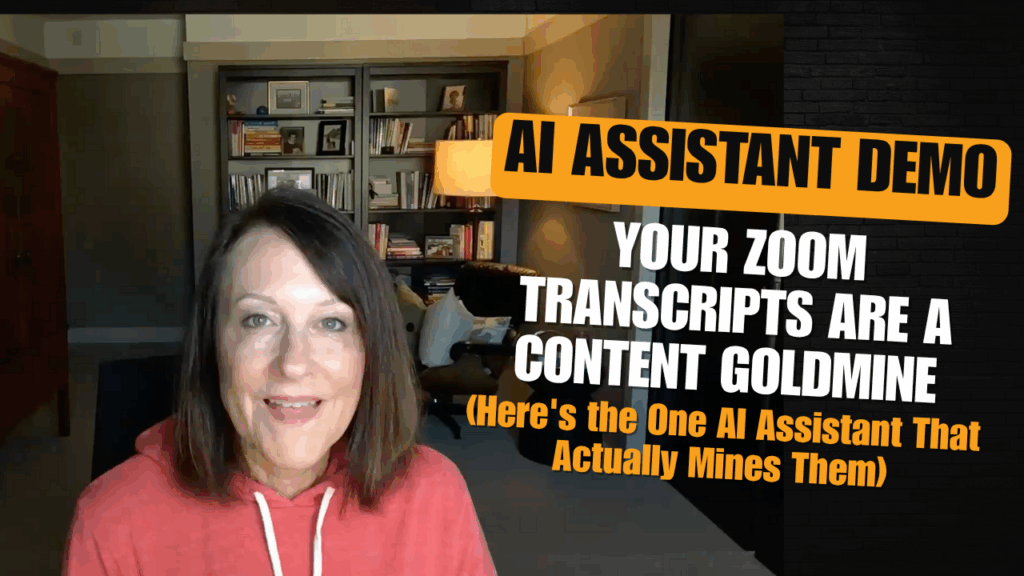
Watch Kristen's Behind the Scenes Demo of the AI Call Assistant:
Turn Every Coaching Call, Client Call, or Sales Call Into Customer Intelligence, Sales Insights & Ready-to-Use Content
Stop losing wins, objections, buying signals, and testimonial-worthy stories in your transcripts.
Extract everything that helps you close more clients, create better content, and understand your audience—all in your voice, all formatted and ready to use.