
Last updated: September 2026
Key Takeaways
- An AI content calendar gets rid of the most expensive minutes of your week: the blank-page ones.
- I plan a month at a time now, sometimes two, because AI makes planning fast enough to do it often.
- Every topic should tie back to one of your offers, with a clear next step. No dead ends.
- With a plan and a script skill, I can go from content plan to script to filming a whole month in about 2 hours.
This post is part of my complete guide to turning one recording into a week of content, in your voice.
Read the full guide → One Recording, A Week of Content
An AI content calendar gets rid of the most expensive minutes of your week. For me, the blank-page ones are the bottleneck. A lot of times I’d sit down and not know what to talk about. When I have a plan in place for at least a month, if not two, the whole content creation process goes that much faster.
All I do is give AI my business, my offers and my IP, and my content planner skill builds me a topic plan where every recording I do next has a job. Here’s exactly how I build one in a single sitting.
How Has AI Changed Content Planning?
AI has made planning so fast that I plan more often, in smaller batches, instead of once a quarter.
For years, long before AI, I planned my content a quarter at a time. I still plan, but now I do it more like a month at a time, because AI changed how fast it goes for me. Just coming up with the idea for one blog post used to take me 20 minutes at least. Now it takes me minutes to come up with the idea, the script and everything, so I’m ready to film in 10 minutes max.
Here’s what that looks like on a real morning. I can get inspiration on my treadmill, walk into my office at 10, and have it out the door by 10:30. That’s how quick it can be.
This is really great when something comes up and you feel compelled to create content around it. Or you see something working for someone else, and you know your own take on it would work for your business. Minutes instead of hours, days or weeks.
Why Does Content Planning Take So Long?
Content planning takes so long because most people plan one week at a time, so they’re starting over every single time.
Instead of starting over every week, I like to have a batch planned so I can batch create my content. When the topics are already decided, I sit down and make the content instead of wondering what the content should be.
How Do You Build an AI Content Calendar?
You build an AI content calendar by giving AI your business context and your offers, letting it generate ideas, and picking the topics that fit what you sell.
Here’s my process:
- Give AI your context. My business, my buyers and what I’m selling all live in a Google folder, so I never start from scratch. My skill knows where to look.
- Give it the topic. I tell it what I want to talk about, and it comes up with a bunch of different ideas.
- Pick your topics. I usually pick four for the month.
- Plan the long and the short. For every topic, I do one long-form video, around 10 minutes, and several short-form ones, around 2 minutes. Sometimes the short ones are pieces of the long one.
Here’s the distinction most people forget. You want to create content that leads people to want to work with you, so every topic should be aligned to your offers.
How Do You Tie Content Topics to Your Offers?
You tie each topic to an offer by training your content calendar skill on your core business information, so it never suggests something that isn’t aligned with your business.
I give my planner skill my Business Cortex, the document that holds my offers, my audience and how I run my business. That’s what makes it work well for my business. It knows what I sell, so the topics it suggests lead there.
You also want to tie every topic to a call to action. Every blog post and every video should naturally work into what the next step is. I like to think of it as no dead ends.
What Happens After the Calendar Is Built?
After the calendar is built, each week gets simpler, because the next step is to film.
I pick a topic and run it through my script writer, for both the long and the short versions. Sometimes I have it run all of them and put everything into one document, so it’s ready to go and I start recording. I may sit down and film it all in one afternoon. It doesn’t take me very long, and I don’t get burned out. The only thing I might do is change my outfit in between.
That one recording becomes everything: a blog post, an email, a video description, social posts and my podcast. Everything gets repurposed as much as I possibly can.
Planning is the first step of the whole system. It’s what makes everything else work: the script, the repurposing, the social. I walk through every step in my guide to turning one recording into a week of content.
After a month, I look at what’s working. If I see a topic taking off, like a reel on Instagram, that becomes something else I create content on.
What To Do Next
Block one hour and start building your next calendar.
- Get your IP down. Your offers, your audience and how you run your business, in one place.
- Make sure your skill knows your offers. That’s what keeps every topic aligned.
- Pick your topics and put them on the calendar. Four topics, each with a long video and a few short ones.
If you want to go one step further, pull in another agent at the same time and have it write your scripts. Then you’re ready to go. I can sometimes get a whole month done in 2 hours, from content plan to script to filming. That’s what happens when you build this as a process and do it over and over. It gets easier and easier.
If you’d like to see which parts of your content and business AI should be running, take the free 2-Minute AI Business Audit below. It shows you the first three agents to build, what not having them is costing you, and what changes once they’re running.
A blank page every Monday morning is expensive. One hour with AI, even two, can give you a month of content, filmed and out the door, that leads back to your offers. Plan once, then spend the rest of your weeks repurposing and doing everything else. Take the free 2-Minute AI Business Audit, or steal my AI org chart, and see what else your AI team could be handling.
Related: Effortless Video Scripts with AI: Outline, Talk, Done • How to Plan and Organize Your Blog Posts
Frequently Asked Questions
How far ahead should I plan content?
I plan a month at a time, sometimes two. AI makes planning fast enough that you don’t need to lock in a full quarter, and a month keeps you flexible when a topic takes off.
Can AI pick my content topics?
AI can generate a lot of topic ideas fast, especially when it already knows your business and offers. You still choose. I usually pick four topics a month and plan one long video and a few short ones for each.
How do I tie topics to my offers?
Train your content planning skill on your core business information, like your Business Cortex, so it only suggests topics aligned with what you sell. Then give every piece of content a clear next step. No dead ends.
How long does it take to build an AI content calendar?
About an hour for a month of topics. If you add a script-writing agent, you can go from plan to scripts to filming a whole month in about 2 hours.
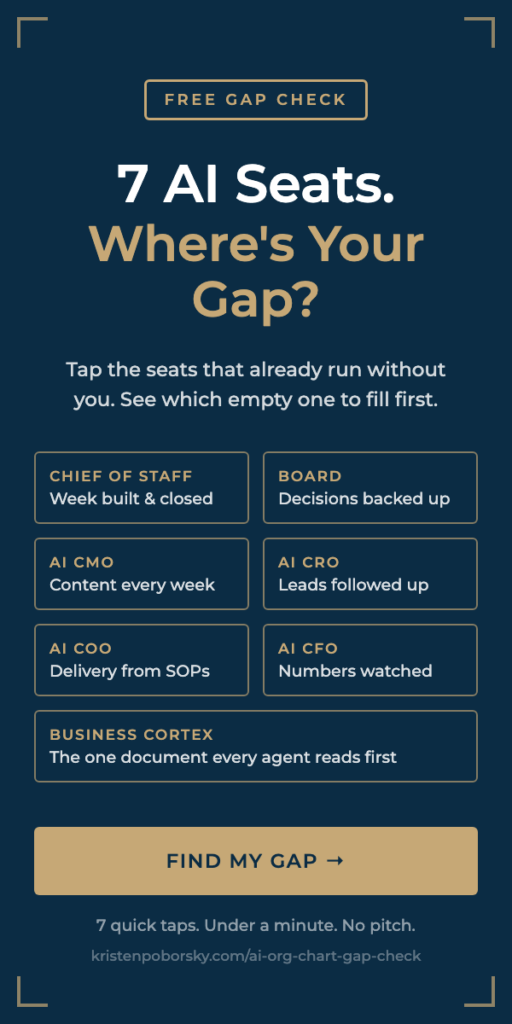
Want to know which AI agents your business needs first? Take the free 2-Minute AI Business Audit. It shows you the first three agents to build, what not having them is costing you, and what changes in your business once they’re running. Or steal my AI org chart and see which of the 7 AI seats your business still has empty.