
Last updated: September 2026
Key Takeaways
- An AI employee isn’t a tool you open and prompt. It owns one recurring task in your business and runs it with your context built in.
- Every $100K+ business has 7 AI seats to fill: Chief of Staff, Board of Directors, CMO, CRO, COO and CFO, with a Business Cortex underneath all of them.
- One task, one AI employee. Train it the way you’d train a new hire: your voice, your offers, your standards, your edge cases.
- AI employees are only as good as what they can reach. Without a central source of your knowledge, every one of them guesses.
AI employees are AI agents that each own one recurring job in your business, trained on your voice, your offers and your standards, so the work gets done without you starting it.
That’s the short answer. The longer answer is why most business owners who try it end up with a pile of AI tools instead of a team, and what to do differently.
I spent 40 years building operational systems, including running a $300 million retail division, before I ever built an AI agent. Since then, I’ve implemented AI-supported workflows with 50+ coaching and consulting businesses. Today my business runs on a team of AI employees and a very small human team, and I close my laptop at 2. This guide is everything I’ve learned about hiring them.
What Is an AI Employee?
An AI employee is an AI agent with a job description. It owns one recurring task, like follow-ups, call summaries, SOPs or content drafts, and it has everything it needs to do that task the way you would.
The difference from a tool is who starts the work. A tool is something you open and prompt. An AI employee runs whether or not you remember to ask.
When AI is a tool, your day looks like this: something comes up, you open a tab, you explain who you are, what you need and what voice you write in, again. You get something back, tweak it, use it and close the tab. Two hours later, you do it all over. You’re the one holding all the context. You’re the connective tissue between every task.
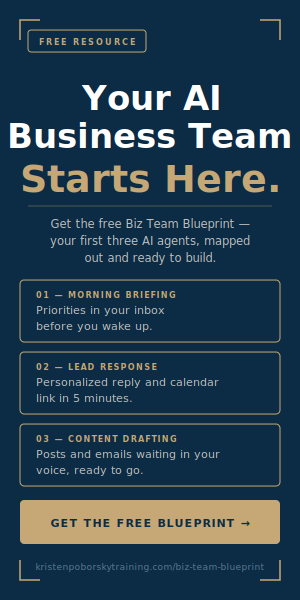
When AI is a team, you wake up and your morning briefing is already waiting. A new lead gets a personal response and a calendar link within minutes. A client call ends and the summary, action items and follow-up email are drafted. All you do is review and decide.
That’s not a better tool. That’s a different structure. I break it down further in AI Business Team vs. AI Tool: What’s the Difference?
Why Doesn’t Faster AI Give You Your Time Back?
Because faster isn’t free.
AI makes the things you’re already doing quicker. Content gets drafted in an hour instead of a day. Follow-ups go out sooner. But you’re still in the middle of all of it, still starting every task and still reviewing every output. Check your calendar three months later and you’re working the same hours.
The bottleneck was never the pace of the work. It was that every task still needed you to start it. AI employees remove you from the start of the task, not just the middle of it. That’s the whole shift, and it’s why I built my business around them. I share the full story in AI Employees: Design a Business Around Your Life.
What Are the 7 AI Seats Every Business Needs?
Think of your AI employees as an org chart, not a collection of tools. These are the 7 seats I build for every $100K+ business I work with.
- Chief of Staff: builds, routes and closes your week. Calls filed, tasks assigned, the list reconciled every Friday.
- Board of Directors: somewhere to take a big decision that has your back and sees what you can’t.
- AI CMO: content goes out every week without you writing it from scratch.
- AI CRO: leads get followed up, clients onboarded and emails drafted without you chasing.
- AI COO: delivery runs from written SOPs, so your team could keep going if you took two weeks off.
- AI CFO: you know what changed in your numbers this month before your bookkeeper tells you.
- The Business Cortex: the one document your offers, decisions and standards live in, which every other seat reads before it does anything.
You don’t fill all 7 at once. Most businesses have two or three seats that are costing them the most right now, and that’s where you start. If you want to see where your gaps are, you can steal my AI org chart and check which seats are still empty in about 60 seconds.
What Does an AI Employee Actually Do in a Real Business?
Here’s one from mine. I replaced my project manager with an AI employee.
Even with a good human project manager, I was still writing every SOP myself, because nobody could get inside my head. Now I record myself doing a task once and give the video to my SOP agent. It drafts the standard operating procedure, writes the task description, recommends who on my team should own it and pushes it into Asana. That used to take me over an hour. Now it takes about five minutes.
It understands what I want better than any project manager I’ve worked with, because I trained it to think like me. You can read the full breakdown in How I Replaced My Project Manager With an AI Agent.
I’ve built the same way across the business: content, marketing, onboarding, coaching call prep and follow-up, and even hiring. That last one is in I Built an AI HR Agent.
How Do You Hire Your First AI Employee?
You hire an AI employee the same way you’d hire a person: you start with the job, not the tool.
- List every recurring task. Everything you touched this week: follow-ups, content drafts, call summaries, client questions, onboarding messages.
- Ask one question about each. Does this need a human judgment call, or could an AI employee handle it completely? Most businesses find 3 to 7 tasks that don’t need them at all.
- Pick one. One task, one AI employee. The mistake is building one agent to do everything.
- Train it like a new hire. Give it your brand voice, your offer details, your standards and your edge cases. Record yourself doing the task and let it learn from that.
- Test and tweak. Your first AI employee will get things wrong before it gets them right, the same as a new hire in their first month. Adjust until it sounds and decides like you, then move to the next task.
You don’t need tech skills for any of this. What you need is business knowledge, because you’re the only one who knows which tasks are truly repeatable and which ones need you. For a deeper walkthrough, read How to Add AI Team Members Into Your Business.
Why Do AI Employees Fail?
Almost always, because they have nothing consistent to pull from.
Your standards, your decisions and the way you’d handle the tricky client live in your head. An AI employee can’t reach your head. So it guesses, and the output sounds like someone smart who has never worked at your company.
That’s why the Business Cortex sits underneath the whole org chart. It’s one central document every AI employee reads from, so your content agent, your sales agent and your operations agent all work from the same page. Add more AI employees on top of scattered knowledge and you just get more places guessing wrong, faster.
It’s the same principle I teach in Systems Before Agents: document first, then build. If you’re already seeing uneven output, start with Why Your AI Results Are Inconsistent.
What Should Stay With You?
Some work should never go to an AI employee. Client strategy. Sensitive conversations. Final quality checks. The judgment calls only you can make.
That’s not a limitation of the system. That’s the system working. When the repeatable work is handled, your time goes to the work only you can do. For me, that looks like deep work in the morning, calls in the middle of the day and my laptop closed at 2, with the business still running.
Are AI Employees a Replacement for Hiring People?
Not entirely. They change who you hire and why.
I still have a human team. What changed is that they’re not hired to hold the chaos together anymore. When your AI employees handle the repeatable work and your knowledge lives somewhere everyone can reach, your people get to do the work that needs a person. I go deeper on this in Scale With AI Instead of Hiring and Stop Hiring for Chaos.
What To Do Next
- Write down every recurring task from this week. Fifteen minutes, pen and paper.
- Circle the ones that don’t need your judgment. Those are your AI employee candidates.
- Check your org chart. See which of the 7 seats those tasks belong to and which seats are empty.
- Hire one. Build one AI employee for one task, train it on your voice and standards, and test it until it runs without you.
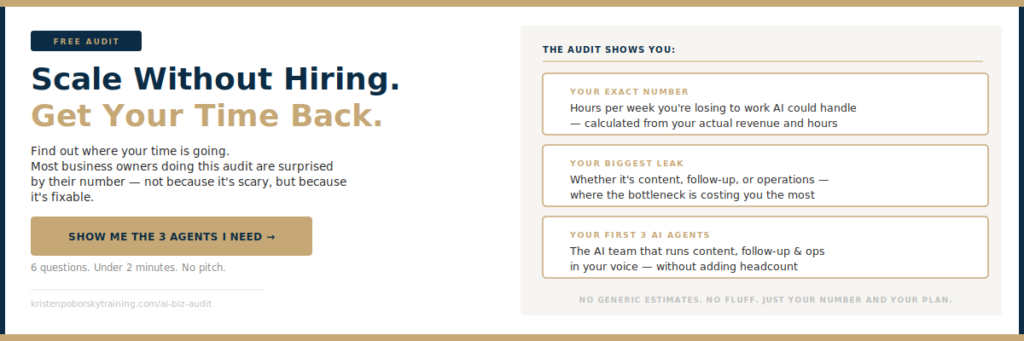
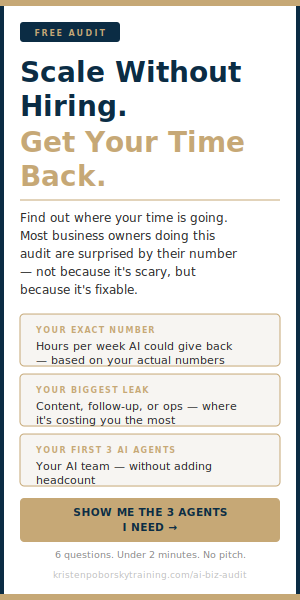
If you’d like to know which AI employees to hire first, take the free 2-Minute AI Business Audit below. It shows you the first three agents to build, what not having them is costing you, and what changes once they’re running.
You don’t need more tools. You need a team that knows how your business runs. Take the free 2-Minute AI Business Audit, or steal my AI org chart, and see which seats your AI team still has empty.
Related: Systems Before Agents: How to Get Your Business Ready for AI • What Is a Business Cortex? How AI Learns to Work Like You
Frequently Asked Questions
What is an AI employee?
An AI employee is an AI agent that owns one recurring task in your business, like follow-ups, call summaries or SOPs. It’s trained on your voice, offers and standards, so it does the task the way you would without you starting it each time.
How is an AI employee different from ChatGPT or Claude?
ChatGPT and Claude are the platforms. Used as a tool, you open them, rebuild your context and prompt them every time. An AI employee is built on a platform like Claude with your context already in place, so it handles the task as its job instead of waiting for instructions.
How much does an AI employee cost?
The platform cost is low. I run my AI team on Claude, which is about $20 a month for the individual plan. The real investment is the upfront time to train each one on how your business works.
Do I need tech skills to hire an AI employee?
No. You need business knowledge: which tasks repeat, how you want them done and where your judgment is required. Training an AI employee looks a lot more like onboarding a new hire than writing code.
Which AI employee should I hire first?
Start with the recurring task that costs you the most time and doesn’t need your judgment. For many coaches and consultants, that’s a morning briefing, lead follow-up or content drafting. The free 2-Minute AI Business Audit shows you your first three.
Will AI employees make my business feel impersonal?
Not when they’re trained right. Each one is fed your brand voice, standards and edge cases, then tested until it sounds like you. The conversations that need you, like client strategy and sensitive issues, stay with you.
Want to know which AI agents your business needs first? Take the free 2-Minute AI Business Audit. It shows you the first three agents to build, what not having them is costing you, and what changes in your business once they’re running. Or steal my AI org chart and see which of the 7 AI seats your business still has empty.